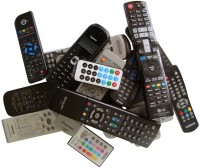
Universal remote controls are great for replacing a working remote lying on the coffee table, but what to do when it isn't?
What to do when you don't have the remote anymore, or when it died and the universal remote doesn't know the TV or DVD player the remote was for?
In that case you have to be a creative (and have a bit of luck).
Attached below are some Arduino sketches that might be of use to you:
Infrared (IR) remote control (RC) protocol guessing - This first sketch looks at the beginning of an RC signal and tries to guess the RC's protocol that goes with it;
IR RC to SVG tracer - receives an IR command and creates an SVG timing diagram from it, a bit like an oscilloscope. Copy the output from the serial monitor to a file with extension SVG and open it in e.g. a browser;
IR RC reception - sketch to receive an IR signal and that decodes it if it is of the popular NEC-1 format;
IR RC transmission - send IR codes using the NEC-1 format.
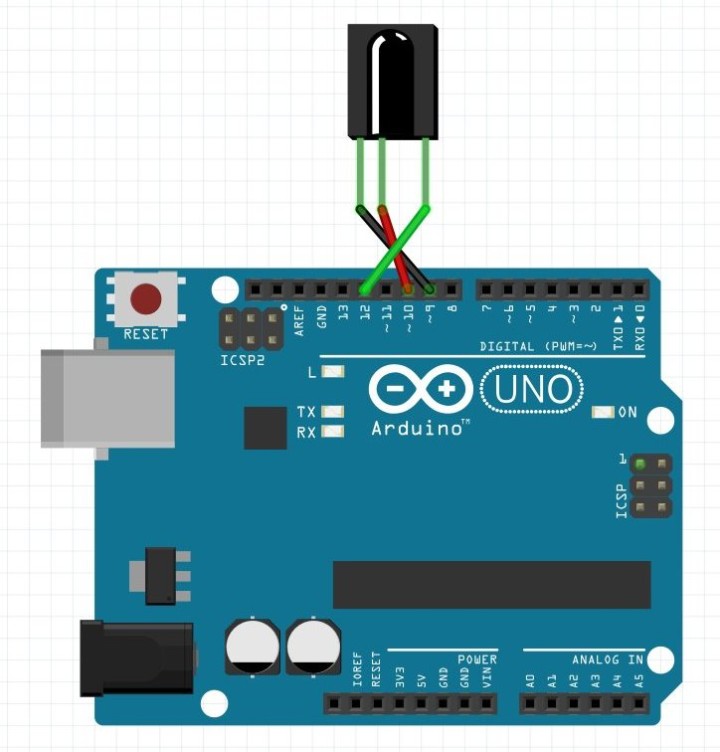
Arduino IR Receiver
A TSOP1738-like IR receiver can be plugged directly onto an Arduino extension connector.
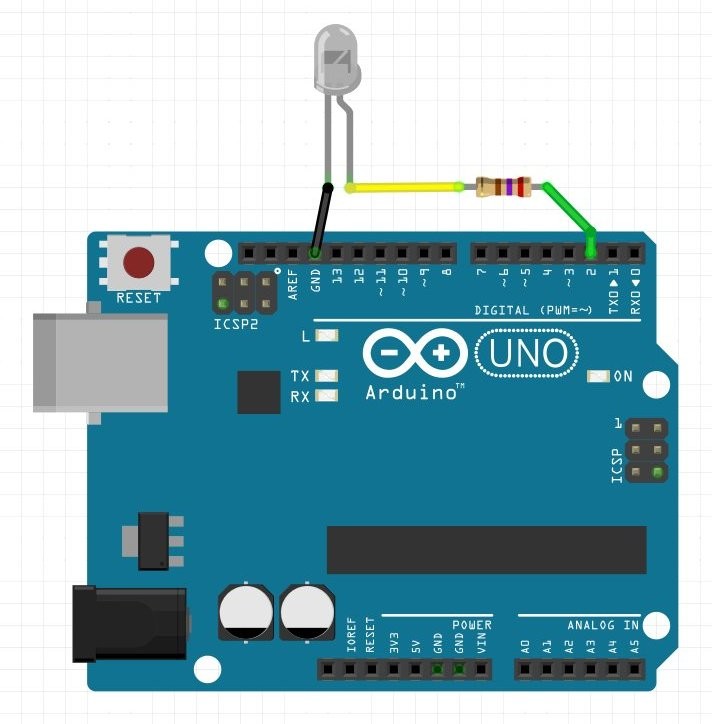
Arduino IR Transmitter
Add an IR LED in series with a 270 Ω resistor to make an IR transmitter.
Procedure
It starts by having a bit of luck, meaning that you happen to have a universal infrared remote control that gives some results but not all and not necessarily on the right buttons. I let a universal RC cycle through all its codes until I found one that did something. If this first step succeeds, then you're in business. In short, you need one working code before continuing. Try a NEC-1 code (see below), chances are that it will work.
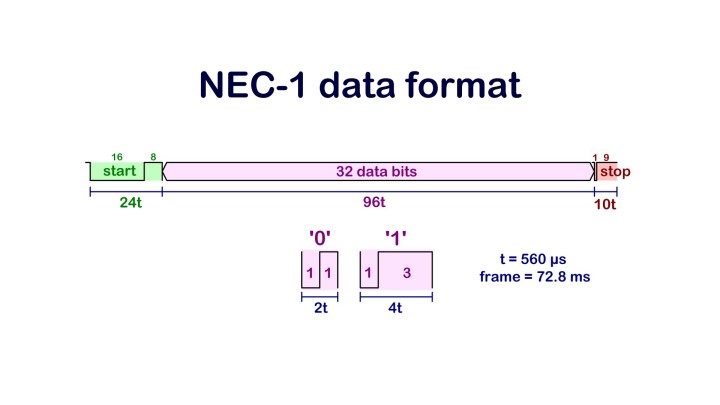
Once you have one or more codes you can determine the protocol being used. Although many hobbyists use RC5, experience has shown me that most RCs around today use some form of the NEC-1 protocol.
NEC-1 protocol. Note that t = 560 µs is based on my observations only.
When you know the protocol (try the SVG tracer sketch to get a timing diagram), you can build custom commands and send them with the Arduino IR transmitter sketch. This way you can discover the commands that work and what they do. Captured IR code and exported as SVG file over serial port.
Once you have the commands, you can program them into a universal remote again by using the Arduino IR transmitter sketch.
Video
This video shows the procedure in more detail.
Want to build a project?
Bring your design to life with the Elektor PCB Service, powered by Eurocircuits. Upload the project files and order professionally manufactured PCBs or assembled boards through a proven European production platform.
Supporting KiCad, Eagle, Gerber, and ODB++ formats, the service is suitable for everything from prototypes and validation builds to series production and volume manufacturing.




Discussion (1 comment)