


The Tool Every Engineer Should Try: An AI IDE That Actually Works
on

Introduction
What Makes Antigravity Different
The real strength, however, is the agent system. Antigravity lets you create small agents that work like “mini employees.” Each one can take care of a single task. One agent can test the UI and fix bugs. Another can refactor the routes, and another one can update the documentation. While they work, you can focus on things that need your attention. It really feels like having a small team inside your IDE.
These agents do not just read your code. They also run and interact with your app. They open the web preview, click buttons, test forms, submit data, and report the results. If you approve their changes, they write the updates for you.
My Experience Using Antigravity
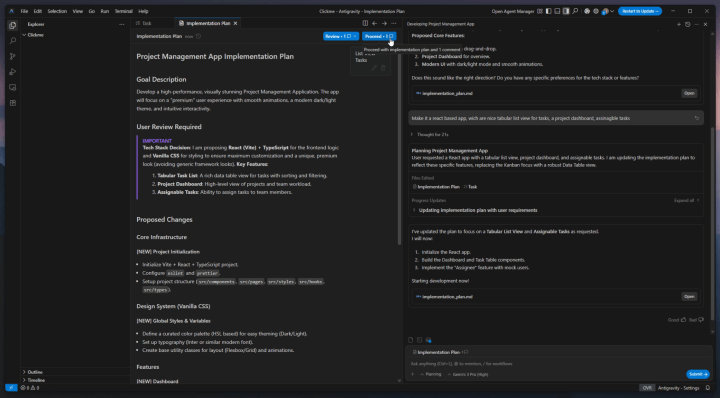
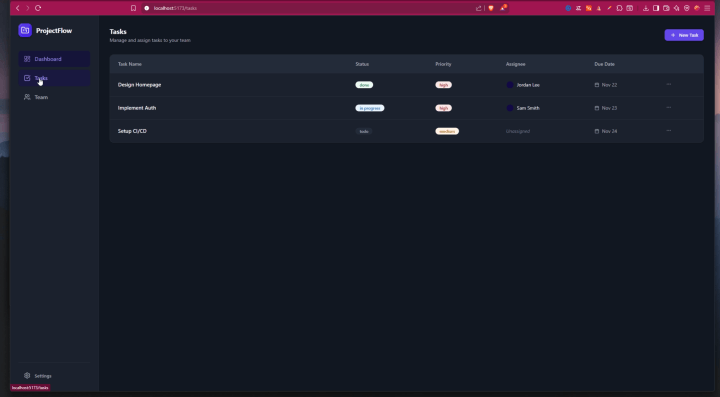
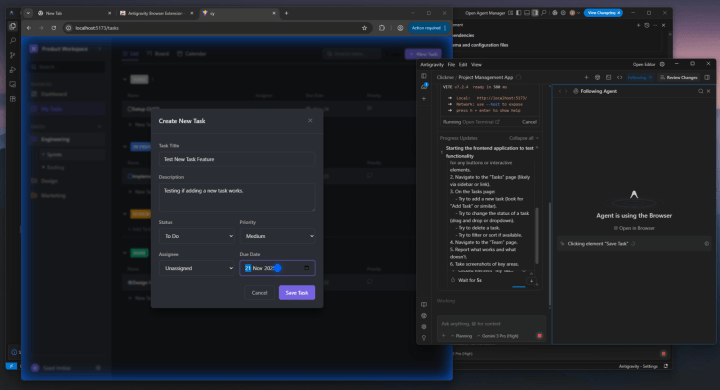
When the main structure worked, I tested the agent system. I made an agent with one job: “Open the app and test everything.” It loaded the preview, clicked all the buttons, opened each page, tested the forms, changed views, and checked the calendar. It found missing handlers, layout bugs, and broken transitions. Not only that, but it reported everything with file names and line numbers. After I approved the plan, it fixed the entire codebase on its own. Watching it repair UI issues while I did nothing felt unreal.

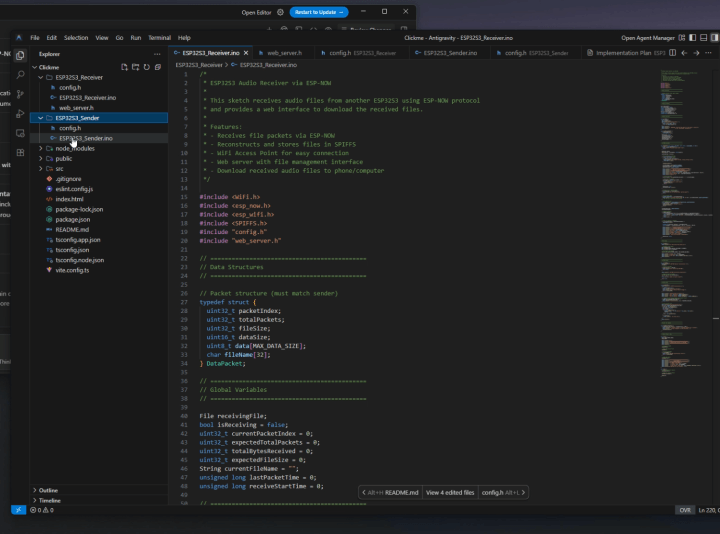
Next, I returned to embedded systems. I asked Antigravity to create a full ESP32 file transfer system using ESP-NOW. I wanted a sender, a receiver, a simple protocol, and a web interface to upload files. It built everything on the first try. It wrote the Arduino sketches, created MAC pairing, broke the file into packets, added a progress counter, and even made a drag-and-drop web UI. I flashed the code and it worked immediately. No debugging. No trial and error. Packet flow, acknowledgments, and error handling all worked perfectly.
This was a surprise because when I asked ChatGPT for a similar task in 2023, it did not perform well. It struggled with ESP-NOW and file handling. But we have come very far. Today’s AI models—ChatGPT 5.1, Gemini, and Claude—are finally able to deliver complete working systems. You can now build the app you always wanted, even if you never had the front-end skills or free time before. AI removes that barrier.
I pushed Antigravity even further. I uploaded a sensor datasheet and asked it to build a driver for Arduino and ESP32. It read the tables, timing diagrams, and register map, and produced a full library. The library had initialization code, read and write functions, calibration routines, interrupt setup, and a proper example sketch. Normally this takes a full day or more. Antigravity did it in minutes.
I also used Antigravity to fix older projects. I opened an old ESP32 codebase with messy structure, leftover logs, and inconsistent names. Antigravity scanned everything and rewrote it into a clean, modern layout. It reorganized folders, cleaned the naming, removed unused code, and generated new documentation. It even optimized some loops. This was one of its most useful features.
The agent-first workflow kept proving itself. I made agents for documentation, testing, refactoring, and even UI design. One agent updated the UI after I uploaded screenshots of a modern layout. While the agents worked, I focused on system-level decisions. It felt like having a small team of juniors doing the busywork while I handled the design.
How to Use AI the Right Way
The right way to use AI is simple: you think, and the AI does.
You design the flow. You set the structure. You define what happens on a click, what each screen should do, and how the features should work. The AI follows your instructions and fills in the technical details.
AI is not perfect either. It cannot catch every UI issue or every small bug. Human testing is still important. You still need to click around, try different flows, and spot the problems only real users notice. Those observations become new prompts for the AI to fix. Hallucinations also still happen, especially near context limits. Antigravity hides that limit, unlike the Gemini CLI, but it is still there. Clear prompts reduce these issues.
The workflow is simple:
Think. test. Observe. Then instruct the AI.
When used this way, AI becomes a powerful engineering tool.
Discussion (3 comments)