


Programming Voice-Controlled IoT Applications with Alexa and Raspberry Pi
March 1, 2023
on
on

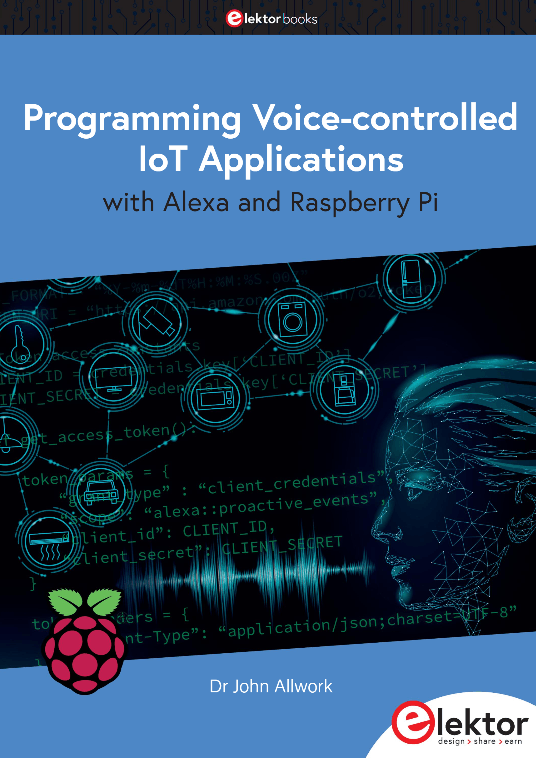
Amazon Echo devices first appeared in 2015, and since then, Alexa skills and voice-controlled smart home devices are in many home devices and available for a reasonable cost. My book, Programming Voice-controlled IoT Applications with Alexa and Raspberry Pi (Elektor 2023), describes how to both write Alexa skills and to design your own smart home devices using a Raspberry Pi.
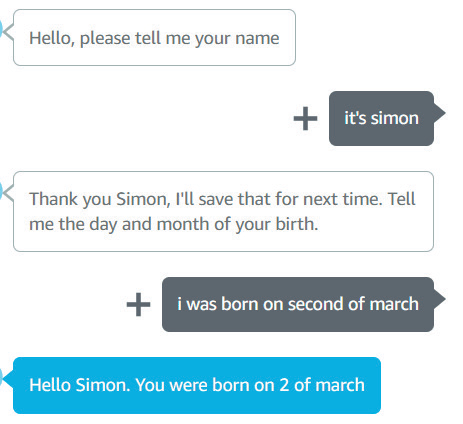
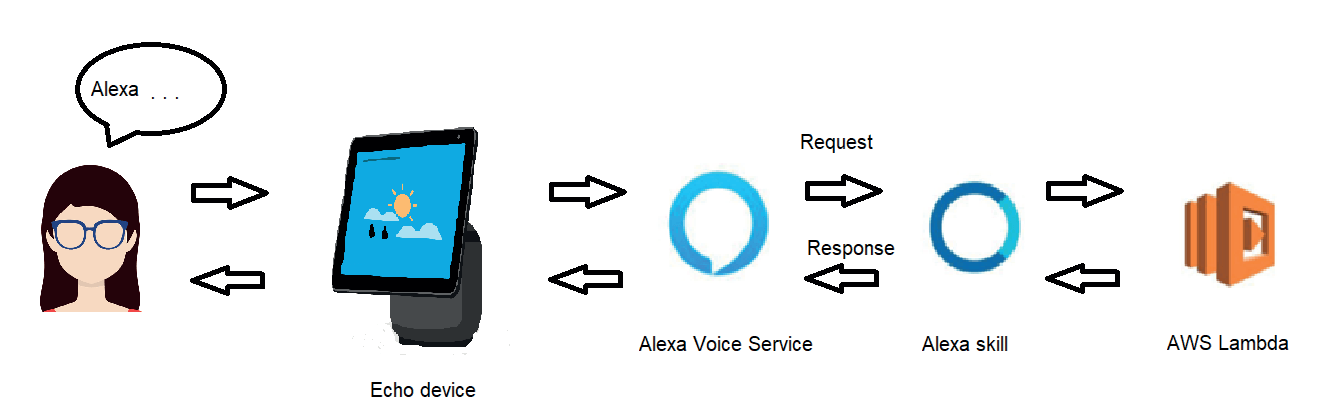 The book begins with a brief history and update on Alexa devices and how to create an Amazon account and write skills for free using Alexa Hosted skills. It describes how users communicate with their device thorough a Voice User Interface and how the user’s requests are processed with Alexa Voice Service and Amazon Web Services Lambda and how responses are returned to the user. It includes descriptions of skill invocation, user utterances, intents, dialogs and passing variables (called slots). The use of the Alexa simulator and conversations is explained.
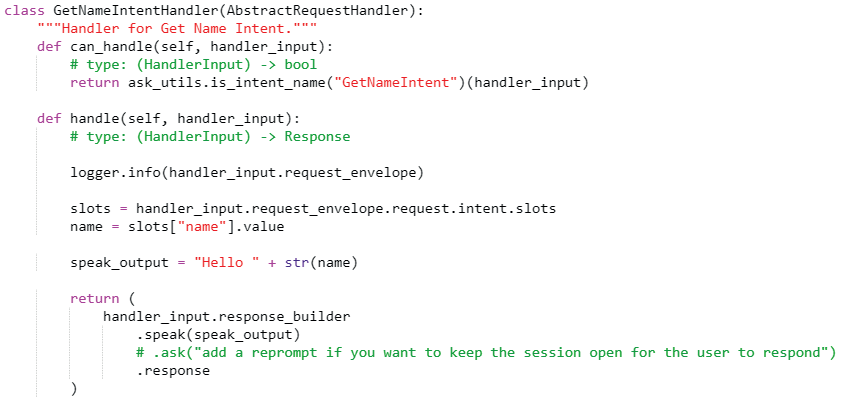
Example code for all chapters is provided and available on GitHub, and some YouTube videos are also provided. Programming for more complicated skills, including saving data and using Amazon’s DynamoDB database and S3 storage, are covered. Designing with Alexa Hosted skills has limitations, and so alternative ways of creating your skills are discussed.
Certification and publication of your skills by Amazon follow. More detailed programming is included with chapters on designing for screen-based devices using Alexa Presentation Language (APL), displaying images and interacting with the user - which could be a book in its own right!
The first part of the book ends with how to access and extract data from the Internet, and eventually write skills that use in-skill purchasing to potentially make money.
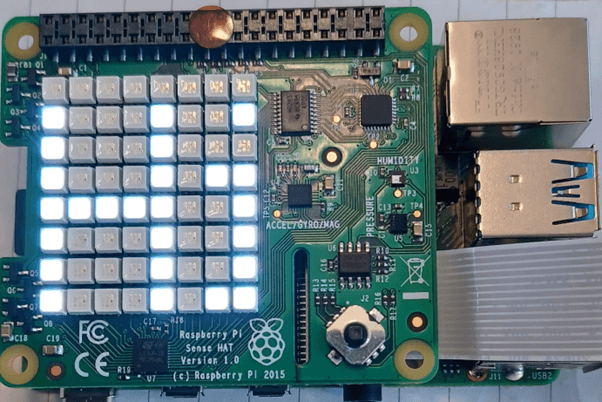
Moreover, there is a chapter on the Node-RED flow-based development tool and controlling a Pi with a display using Node-RED running on a Pi follows. An example of a Node-RED MQTT IoT application is also given. MQTT messages sent from a user are displayed on a Raspberry Pi.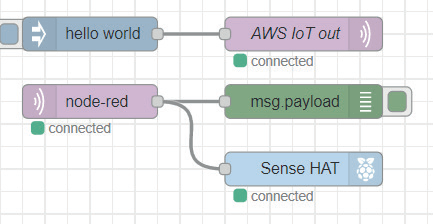
A Raspberry Pi can also provide proactive information to your Alexa devices, for instance a bad weather warning. This procedure for this is described, including security and obtaining permission with an access token and sending a notification to your device is demonstrated. The final chapter shows how to set up your Raspberry Pi as a standalone Alexa device. You can find more information on this subject in the upcoming months, in the form of an Elektor Magazine Article.
I hope that the book gives you the background and confidence to write Alexa skills and encourages you to try your own designs.
Why Alexa?
Having purchased an Echo quite a few years ago, I started writing Alexa skills, only to find that there were very limited examples on both writing skills and controlling smart home devices. I found myself struggling through the Amazon documents and making my own notes and producing a few YouTube videos to help others. This became the outline for the book. Since then, Alexa devices have improved, now including screens, and skill development has become more detailed. The reader is taken from creating a basic skill to more comprehensive ones including controlling screen devices, publishing your skills and adding shopping skills and making money. It then moves on to communicating with Raspberry Pi and designing smart home devices.About the Book and How Alexa Works
Example code for all chapters is provided and available on GitHub, and some YouTube videos are also provided. Programming for more complicated skills, including saving data and using Amazon’s DynamoDB database and S3 storage, are covered. Designing with Alexa Hosted skills has limitations, and so alternative ways of creating your skills are discussed.
Certification and publication of your skills by Amazon follow. More detailed programming is included with chapters on designing for screen-based devices using Alexa Presentation Language (APL), displaying images and interacting with the user - which could be a book in its own right!
The first part of the book ends with how to access and extract data from the Internet, and eventually write skills that use in-skill purchasing to potentially make money.
Subscribe
Tag alert: Subscribe to the tag IoT and you will receive an e-mail as soon as a new item about it is published on our website! The Hardware
In the second part of the book, you learn how to create a Raspberry Pi IoT 'thing'. The example uses MQTT message queuing and shows how to control a robot from an Alexa skill. In the coming part, smart home devices are described. These devices use friendly names such as ‘microwave’ or ‘Raspberry Pi’ and predefined utterances, e.g., "Alexa turn the Raspberry Pi LED off". Security, discovery of devices, linking with the Alexa app and controlling a virtual device are all covered. The following chapter takes this further and shows how to control an LED display on a Raspberry Pi, this time using Simple Queue Service, SQS.Moreover, there is a chapter on the Node-RED flow-based development tool and controlling a Pi with a display using Node-RED running on a Pi follows. An example of a Node-RED MQTT IoT application is also given. MQTT messages sent from a user are displayed on a Raspberry Pi.
A Raspberry Pi can also provide proactive information to your Alexa devices, for instance a bad weather warning. This procedure for this is described, including security and obtaining permission with an access token and sending a notification to your device is demonstrated. The final chapter shows how to set up your Raspberry Pi as a standalone Alexa device. You can find more information on this subject in the upcoming months, in the form of an Elektor Magazine Article.
Final thoughts
The idea behind the book is to help the reader write Alexa skills and control a Raspberry Pi from an Alexa device. It covers a lot of ground, from the basic voice and screen display, security, distribution, certification and publishing. The latter chapters move on to controlling the Raspberry Pi, either as an IoT ‘thing’ or as a Smart Home device, or controlling the Pi with Node-RED. The software is provided and some of the chapters are linked to YouTube videos.I hope that the book gives you the background and confidence to write Alexa skills and encourages you to try your own designs.
About the Author
Dr. John Allwork has been interested in electronics and computing since school. He graduated from Sheffield University and gained his MSc at UMIST. After two years working for International Computers Ltd as a design engineer, he returned to UMIST where he graduated with a PhD in designing microprocessor systems. Having worked in technical support and as manager in distribution, working closely with Intel engineers, he returned to university, teaching electronics at Manchester Metropolitan University and is now retired. He keeps up his interest in electronics and programming along with his other occupations of travelling, walking, geocaching, art and spending time on his allotment. Subscribe
Tag alert: Subscribe to the tag IoT & Sensors and you will receive an e-mail as soon as a new item about it is published on our website! Read full article
Hide full article


Discussion (0 comments)