


Commodore 1541 Disk Drive Becomes a Tiny Computer
on
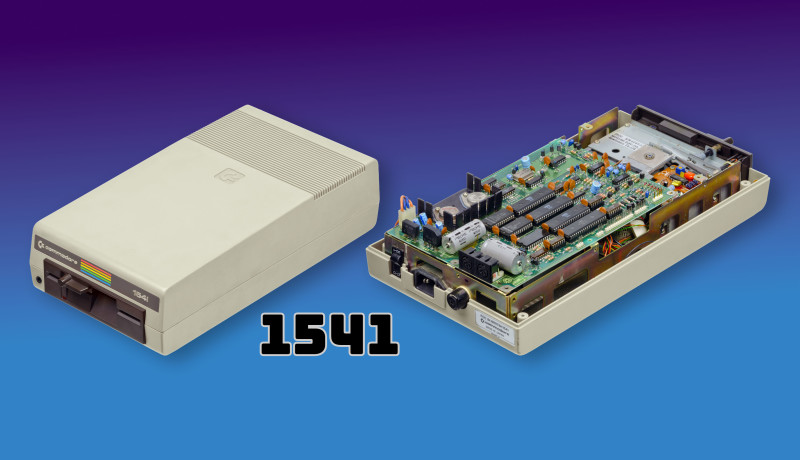
The 1541 Disk Drive Computer idea is precisely what it sounds like: taking the MOS Technology 6502 CPU already inside a Commodore 1541 disk drive and treating the drive as a tiny standalone computer instead of a peripheral. (For the record, the Commodore 64 uses the closely related MOS 6510.)
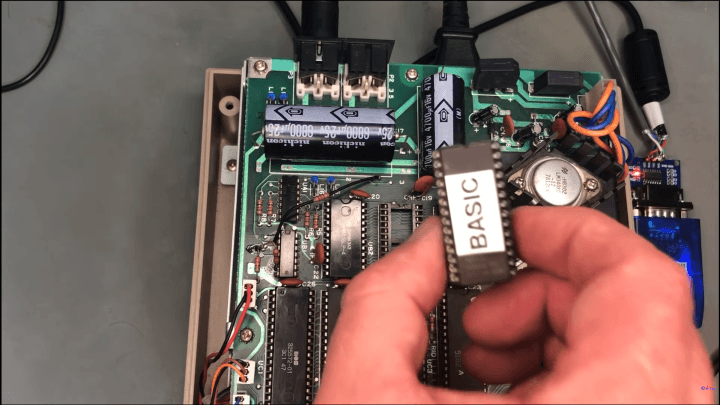
1541 Disk Drive Computer: What Changed
The short version is that the drive boots a KIM-1-style monitor ROM, then talks to a terminal over the IEC serial bus. In the demo, the drive is used “as-is” mechanically and electrically (no board surgery), but it does need a ROM image that replaces the original 1541 firmware and a way to get a serial-style terminal session routed over IEC.
Once you have a prompt, the fun part is realizing just how much “computer” you can squeeze out of what was designed as a disk controller: enter a small routine, run it from RAM, and then step up to a BASIC prompt. The project code is available online if you want to study how the KIM-1 monitor was adapted to the 1541’s memory map and I/O expectations.
Why a Floppy Drive CPU Matters
Part of the charm here is that it’s not a brand-new concept so much as making an old reality explicit and interactive. Plenty of classic Commodore fastloaders and copy tools already pushed executable code into the drive and used its 6502 as a smart peripheral. This project reframes that capability as a tiny general-purpose system you can actually “sit at,” even if the resources are brutally tight by modern standards.
Background from the 8-Bit Era
If you want a broader refresher on the context these machines came from, Elektor has a good look back at the home-computer boom in Stuart Cording’s article here: Battle of the 8-Bit Home Computers.
For the original write-up and links to the demo and repository, start with this Hackaday post, then jump to the project code and the video.


Discussion (0 comments)