


Water Cooling Kit for the Raspberry Pi 5
July 24, 2024
on
on
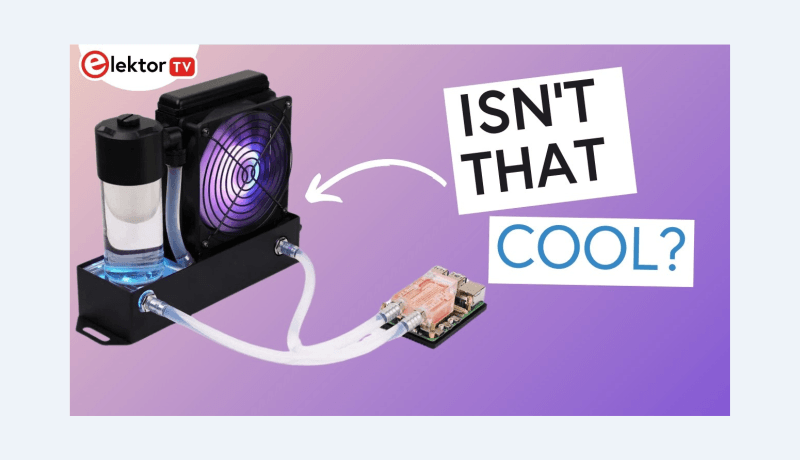
Are you looking to supercharge your Raspberry Pi 5? Check out our latest video where we unbox and assemble the Water Cooling Kit for the Raspberry Pi 5, made by Seeed Studio. This is one of the coolest (literally!) add-ons for your Raspberry Pi!
The video shows the entire contents of the kit, showcasing its well-packaged components, including a radiator and pump section with a stylish RGB fan, a water block, thermal pads, pieces of tubing, etc. The water block is the part responsible for exchanging heat between the processor and the water circuit. Seeed Studio calls it, somewhat misleadingly, the “Ice Pump”, but the actual water pump is in the radiator assembly, next to the water tank, as those of our readers who have already taken an interest in liquid PC cooling will have noticed. Watch as the video walks you through every step of the assembly process, from installing the thermal pads to the final filling up of the reservoir and testing.
Curious about performance? Further tests under more intensive use could be carried out, but we can already say by quickly checking the CPU temperature that the Water Cooling kit is much more effective than the original heat sink and fan. This is sure to make a difference when you're running CPU-intensive applications on the Raspberry Pi. So, is the Water Cooling Kit a novelty item or a useful cooling solution? Watch the video below and tell us your thoughts in the comments:
The video shows the entire contents of the kit, showcasing its well-packaged components, including a radiator and pump section with a stylish RGB fan, a water block, thermal pads, pieces of tubing, etc. The water block is the part responsible for exchanging heat between the processor and the water circuit. Seeed Studio calls it, somewhat misleadingly, the “Ice Pump”, but the actual water pump is in the radiator assembly, next to the water tank, as those of our readers who have already taken an interest in liquid PC cooling will have noticed. Watch as the video walks you through every step of the assembly process, from installing the thermal pads to the final filling up of the reservoir and testing.
Subscribe
Tag alert: Subscribe to the tag Raspberry Pi and you will receive an e-mail as soon as a new item about it is published on our website! Curious about performance? Further tests under more intensive use could be carried out, but we can already say by quickly checking the CPU temperature that the Water Cooling kit is much more effective than the original heat sink and fan. This is sure to make a difference when you're running CPU-intensive applications on the Raspberry Pi. So, is the Water Cooling Kit a novelty item or a useful cooling solution? Watch the video below and tell us your thoughts in the comments:
Explore More Electronics
Want to learn more about Raspberry Pi, DIY projects or electronics in general? Check out all the educational videos and tap into the knowledge of experts on our Elektor YouTube channel and our Elektor Industry YouTube channel. Subscribe to Elektor's newsletter to receive a regular flow of expert tech knowledge and interesting perspectives.Read full article
Hide full article

Discussion (0 comments)