How good is a cheap multimeter? We try to answer that question in this test of the PeakTech P1073, a so-called smart multimeter with a price of around €25. That’s not super cheap, but certainly much more affordable than a multimeter from a well-known brand.
How good is a cheap multimeter? We try to answer that question in this test of the PeakTech P1073, a so-called smart multimeter with a price of around 25 euros. That’s not super cheap, but certainly much more affordable than a multimeter from a well-known brand.
Many electronics engineers have probably bought a cheap multimeter on impulse from a hardware store or discount retailer, just to see if such a device works reasonably well. Usually, the meter ends up unused in a drawer afterward. PeakTech has taken a different approach: design a multimeter that is affordable, has many functions, and is actually useful for daily work. The result is the P1072 and P1073, the latter of which (reviewed here) can also perform current measurements. The PeakTech P1073 offers many features for little money.
Blister Packaging
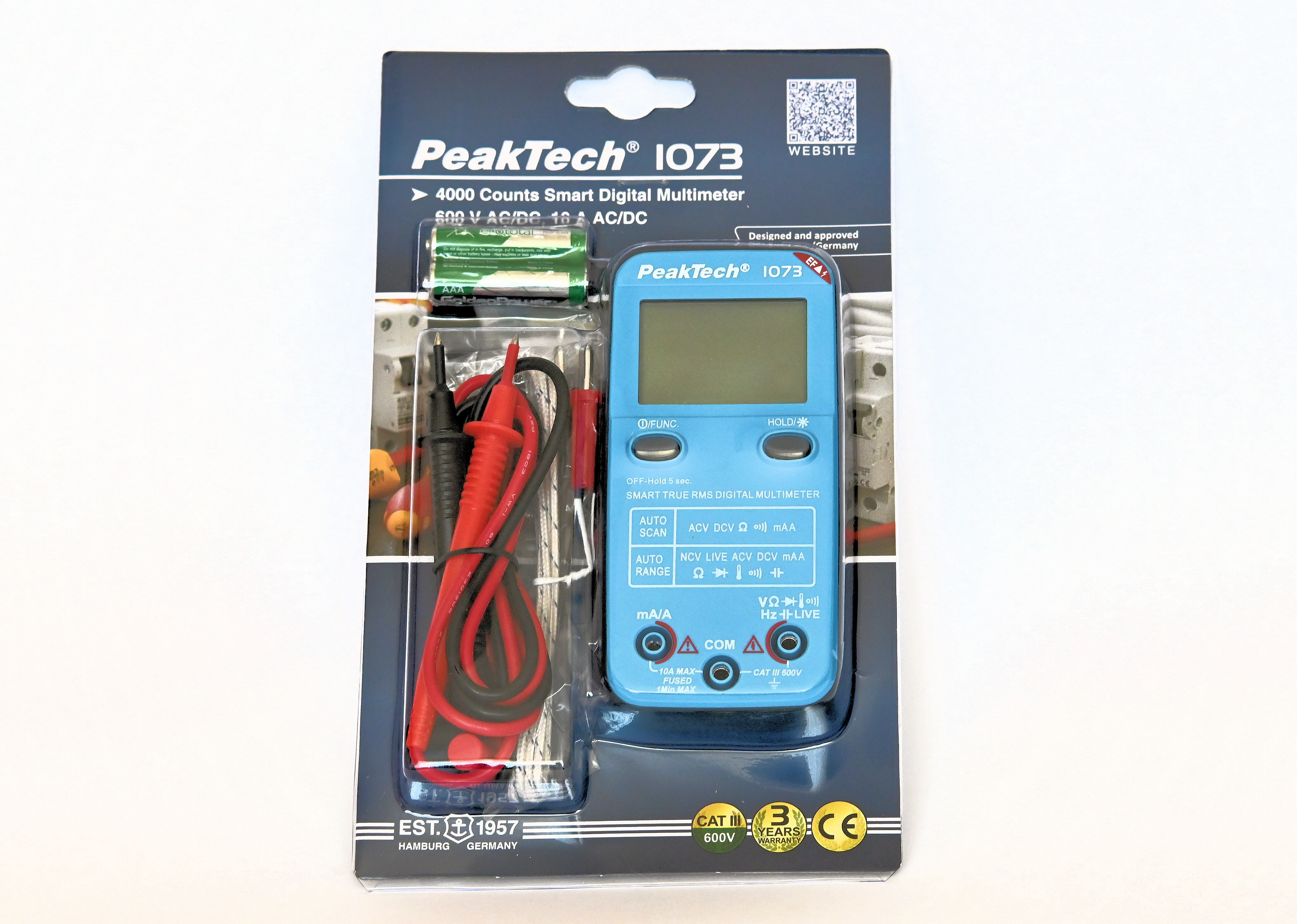
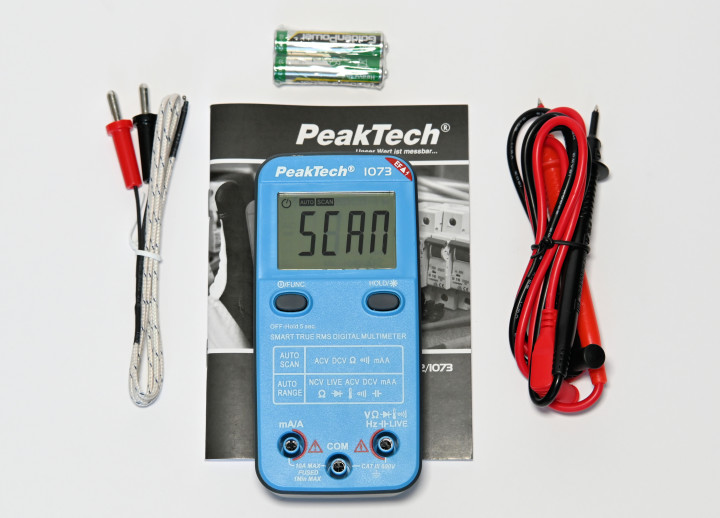
The PeakTech P1073 comes in a blister pack containing the meter, a set of probes, a temperature sensor, two batteries, and a bilingual manual. It’s a complete package, and you can get started right away. The meter is quite small (approx. 13 x 6 cm) and easy to hold with one hand. The case looks a bit cheap on the back, but still feels sturdy. The packaging clearly shows what you get for 25 euros.
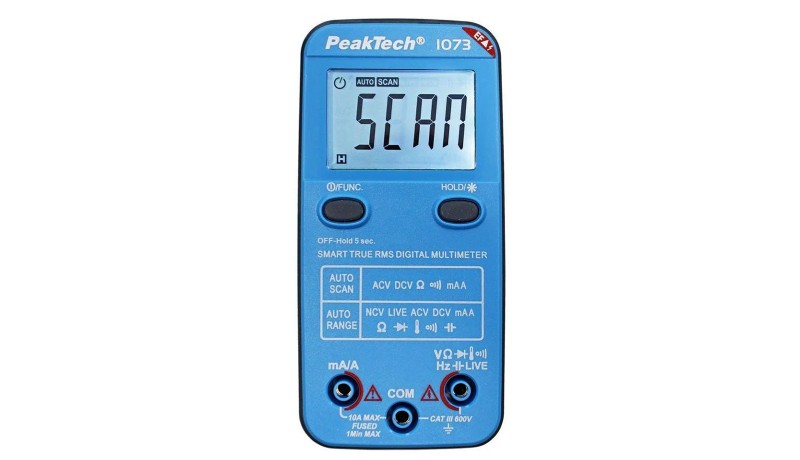
The front looks rather unusual for a multimeter: there is no rotary switch, only two push buttons. The left button is used to switch the meter on and off and to manually select all functions. The right button can freeze the display (Hold) and activate the backlight for the 4,000-count LCD. In that case, an LED on the back also lights up like a kind of flashlight, though it doesn’t provide much illumination.
To insert the batteries, the cover on the back must be unscrewed with a Phillips screwdriver, after which the meter is ready for use.
Options
The following functions are available on the PeakTech P1073: True RMS voltage (DC/AC), current (DC/AC), resistance, capacitance, temperature, frequency, continuity tester, diode tester, and mains voltage detector (via a test probe or contactless). So, nothing is missing compared to a more expensive multimeter.
The “Smart” designation in the name refers to the fact that the meter is equipped with auto-scan and auto-ranging. After switching on, the fairly large and easy-to-read LCD always shows “SCAN,” which means the meter is trying to detect what is connected at the inputs. It can recognize DC and AC voltages, resistance, and short circuits, as well as DC and AC current. The latter is detected when the test leads are inserted into the current measurement inputs. The meter is supplied with test leads, temperature sensor, batteries, and manual.
The PeakTech P1073 Has Many Functions Under One Key
You can select all functions manually by pressing the left key several times. The last function in this cycle is temperature, which can be displayed in degrees Celsius or Fahrenheit. For the Live (determining the mains phase with one test lead) and NCV (contactless mains voltage detection) functions, you need to press the left key for a few seconds. Switching between these two functions is done by pressing it briefly again.
The meter is also equipped with a beeper that sounds loudly with every key press or when voltage is detected. It switches off automatically after 30 minutes or manually by holding down the left key for at least 5 seconds. This auto-off function can be disabled.
The PeakTech P1073 Is More Accurate Than Expected
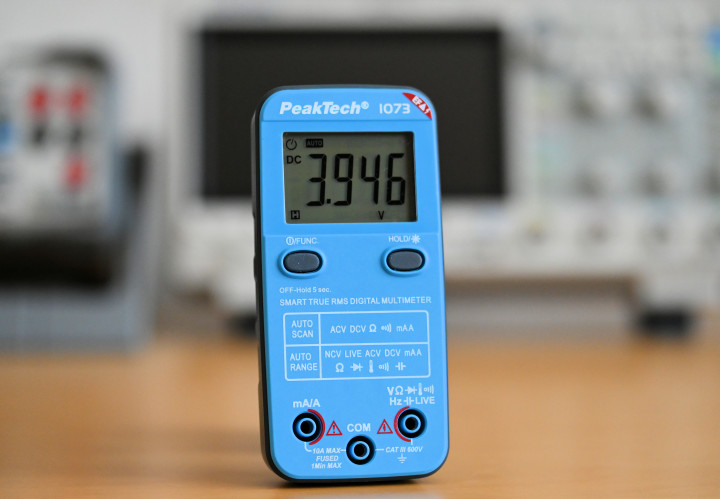
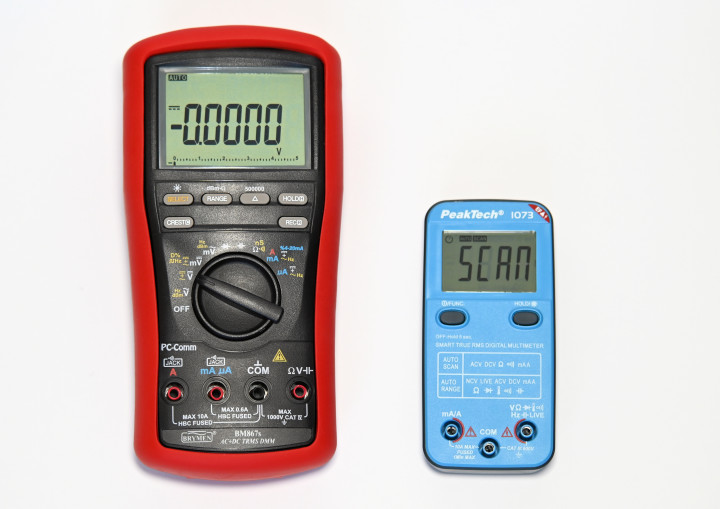
You wouldn’t expect high accuracy from a 25-euro multimeter, and PeakTech’s specifications are accordingly cautious. The basic accuracy for DC voltage and resistance is 0.5%; for the other ranges it is 1% or slightly more. For the price, this is perfectly acceptable, but you hope it performs better in practice. And that turns out to be the case — in all the measurements I performed, the accuracy was at least twice as good as specified; for DC voltage it was even within 0.1%. The frequency range of AC measurements extends to just over 1 kHz, which is more than adequate for most purposes. For frequency measurements, the specs indicate a limit of 4 kHz, but in testing, I reached nearly double that. Here you can see how small the P1073 is compared to my standard multimeter.
The auto-scan function works well if you keep a few things in mind. The meter does not recognize DC and AC voltages below 0.7 V, and in such cases, it may display a resistance value. Resistance values below 50 ohms are also not properly detected. The continuity beeper responds with a short delay in auto-scan mode, because the meter first needs to determine what kind of signal is present (if you manually select this function, the beeper is much faster). Incidentally, PeakTech provides a helpful chart in the manual that shows exactly when the auto-scan function works properly. This is much clearer than with meters from other manufacturers with a similar auto-scan feature, where you're often left guessing.
Non-Contact Voltage Measurements
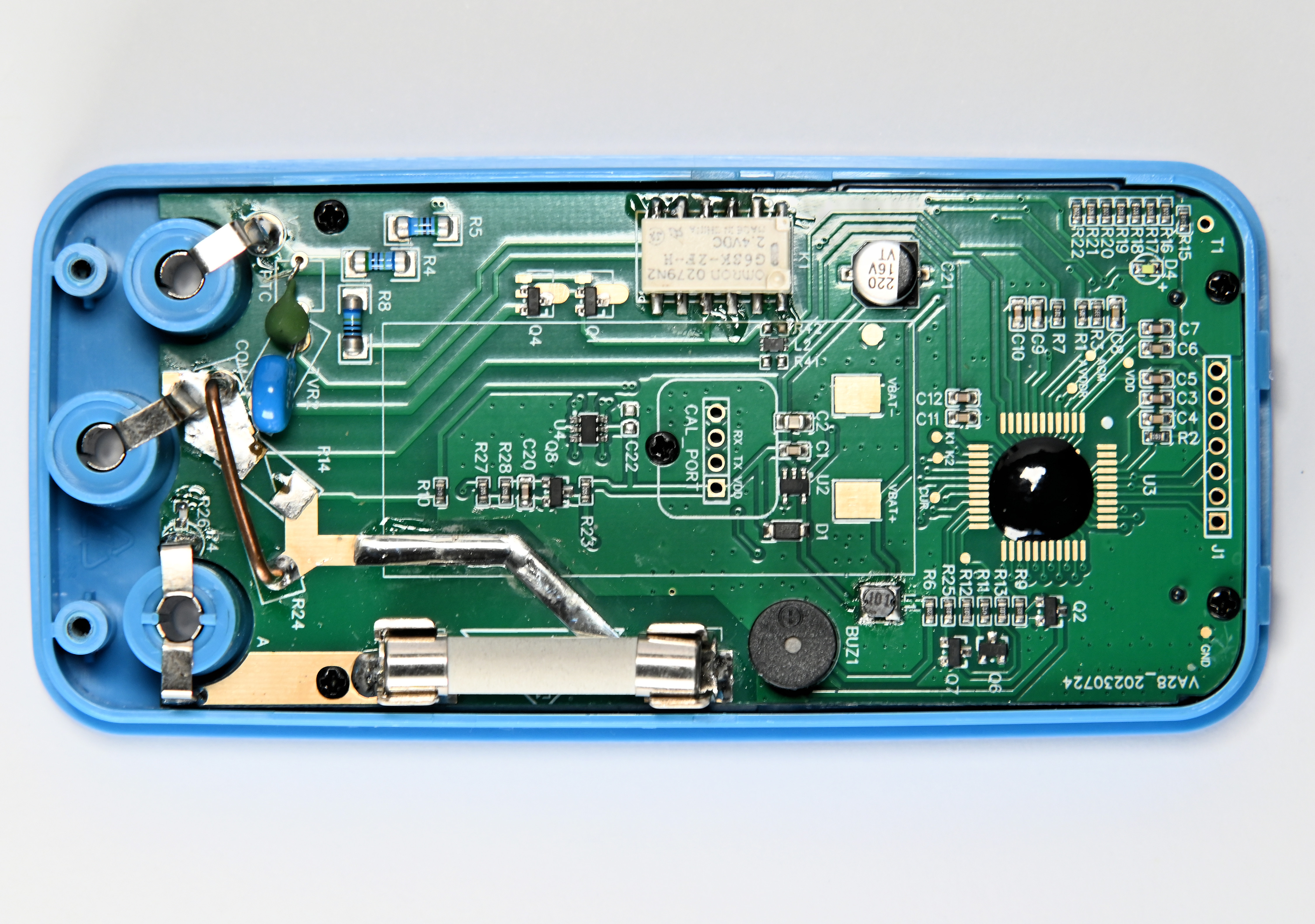
Then there’s the Live/NCV function. Determining the live conductor of an outlet with one test lead is fairly common and works reliably with most meters, but non-contact voltage detection can be hit or miss. I recall that the NCV function was often very insensitive in reviews of other multimeters. However, the PeakTech P1073 performs surprisingly well here — it’s very sensitive. At a distance of several inches from a live wire, it already begins to beep and the display lights up red for confirmation. The signal strength is also shown on the screen with four bars. Kudos — this feature works really well! With two screws, the case can be opened to replace the fuse for the current measuring circuit.
Conclusion
The PeakTech P1073 may look a bit cheap, but it’s a great multimeter for daily use or to keep as a spare. It includes all essential functions and even some extras. The auto-scan feature is quite helpful in many cases, and the NCV function works exceptionally well. Additionally, the actual measurement accuracy turned out to be much better than the official specifications. For 25 euros, this meter is well worth the investment.



Discussion (1 comment)