Check out Raspberry Pi’s new camera module, the Raspberry Pi Global Shutter Camera. With no more “jello effect” or other artifacts, industrial applications will certainly benefit, and the great thing is that there’s no need to retool.
Coming just two months after the announcement of the Camera 3 Module series, Raspberry Pi’s new camera module, the Raspberry Pi Global Shutter Camera, lands today. Mounted on a 38 mm × 38 mm board, it fits it clearly into the HQ Camera arena, not the general Camera Module series with its 25 mm × 23.862 mm footprint. Let's take a look.
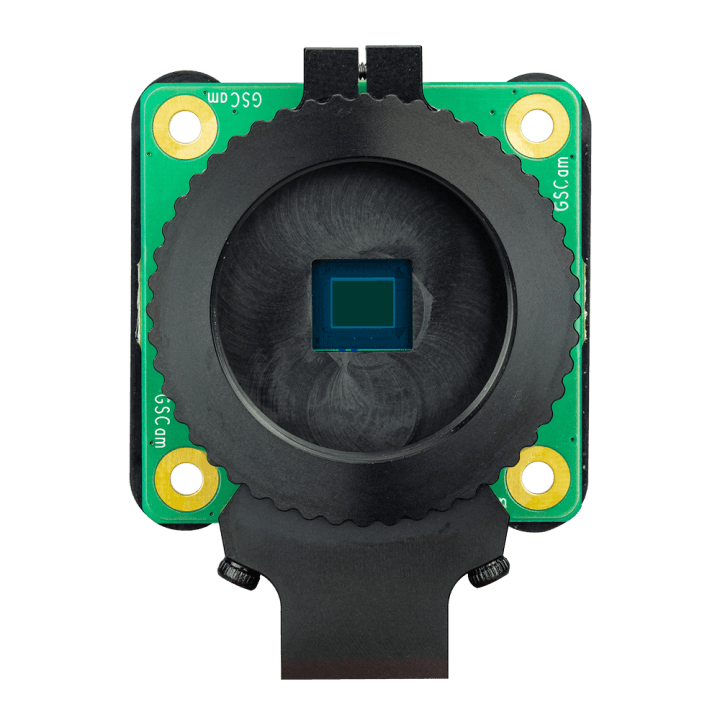
Raspberry Pi Global Shutter Camera
The Problem
All of the previous cameras in the Raspberry Pi line, starting with the original camera module (2013), were of the rolling-shutter type, and they are capable of producing phenomenal high-res photographs under still conditions. However, there is one drawback that makes them slightly unsuitable when things start to move too quickly.
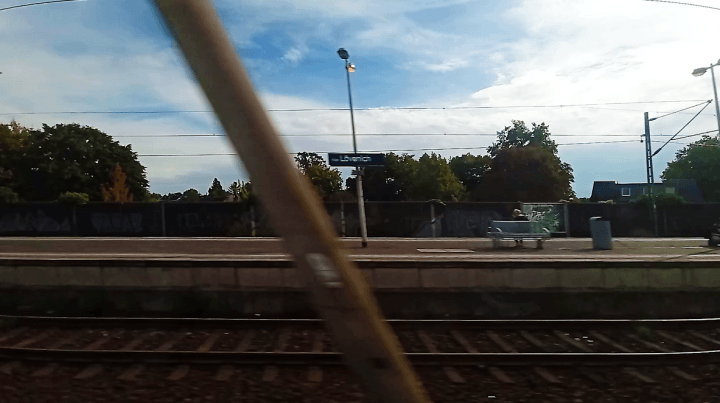
Take this example from a video from a train passing through Köln Lövenich station:
Clearly visible rolling shutter artifact as seen from a moving train.
The pole in the foreground and the one in the background were both fully upright and doing their jobs properly. Since the train was moving to the left, it seems this camera sensor was scanning from the top to the bottom, and by the time the scan reached the bottom of the frame, the scenery had moved significantly, most notably the pole in the foreground as it was moving faster relative to the image frame.
Since each image is not scanned at the same instant, but rather from top to bottom (and other patterns do exist), much like the CRT TV cameras of yore did, when an object is moving horizontally through the frame, vertical lines tend to lean over and become diagonal — and the faster they’re passing through, the more they lean. This is not ideal in many circumstances.
For many consumer purposes, such as the video above, it’s aesthetically unappealing to watch an intoxicated foreground scurry by, but this can also have an impact on more high-end applications, such as in industry. Imagine your wine bottles or widgets sliding by on a conveyor belt as they get poked, prodded, and stamped, and you have the camera there for quality control, possibly managed by machine learning — ideally, you want an accurate depiction of the products, without having to resort to complex image processing before you even get to the analysis stage.
Subscribe
Tag alert: Subscribe to the tag Raspberry Pi and you will receive an e-mail as soon as a new item about it is published on our website!
The Solution
While some third-party hardware camera solutions for Pi boards have existed for a couple of years, Raspberry Pi now has a native solution: The new camera’s IMX296 sensor — again from Sony, which been the choice for all the cameras in the RPi line apart from the V1 module in 2013 — has an integrated global shutter. That makes it far more suitable for those high-speed applications, be it for your DIY action cam or on your production line.
Quite aptly, the camera is available globally from today.
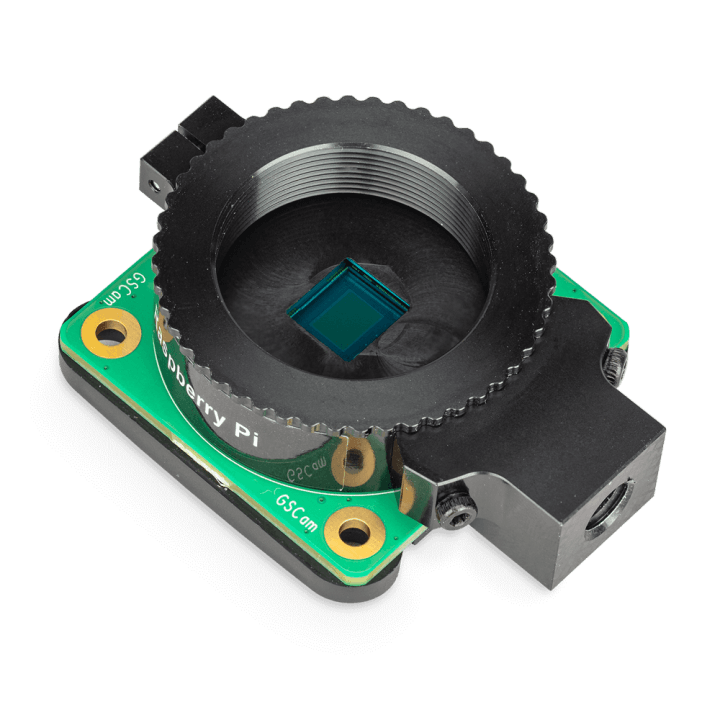
Until January 2023, when RPi announced native support for M12-mount lenses, the HQ Camera modules (introduced 2020) supported only C- and CS-mounts, and such is the case with this debut Global Shutter Camera, as shown in the image below:
The Raspberry Pi Global Shutter Camera (“GSCam”) mount is ready to accept any CS-mount lens.
While it is a CS-mount camera, it includes a C-to-CS-mount adapter, a screwdriver (can’t imagine why they think we’d need yet another), and the camera ribbon cable.
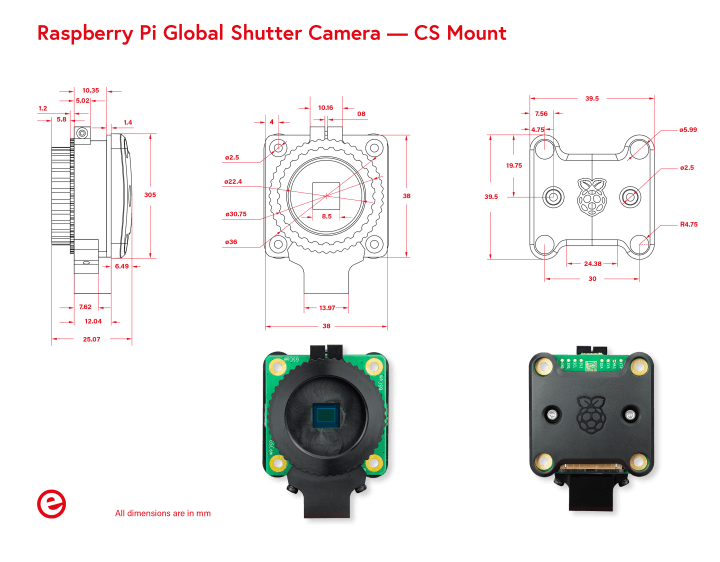
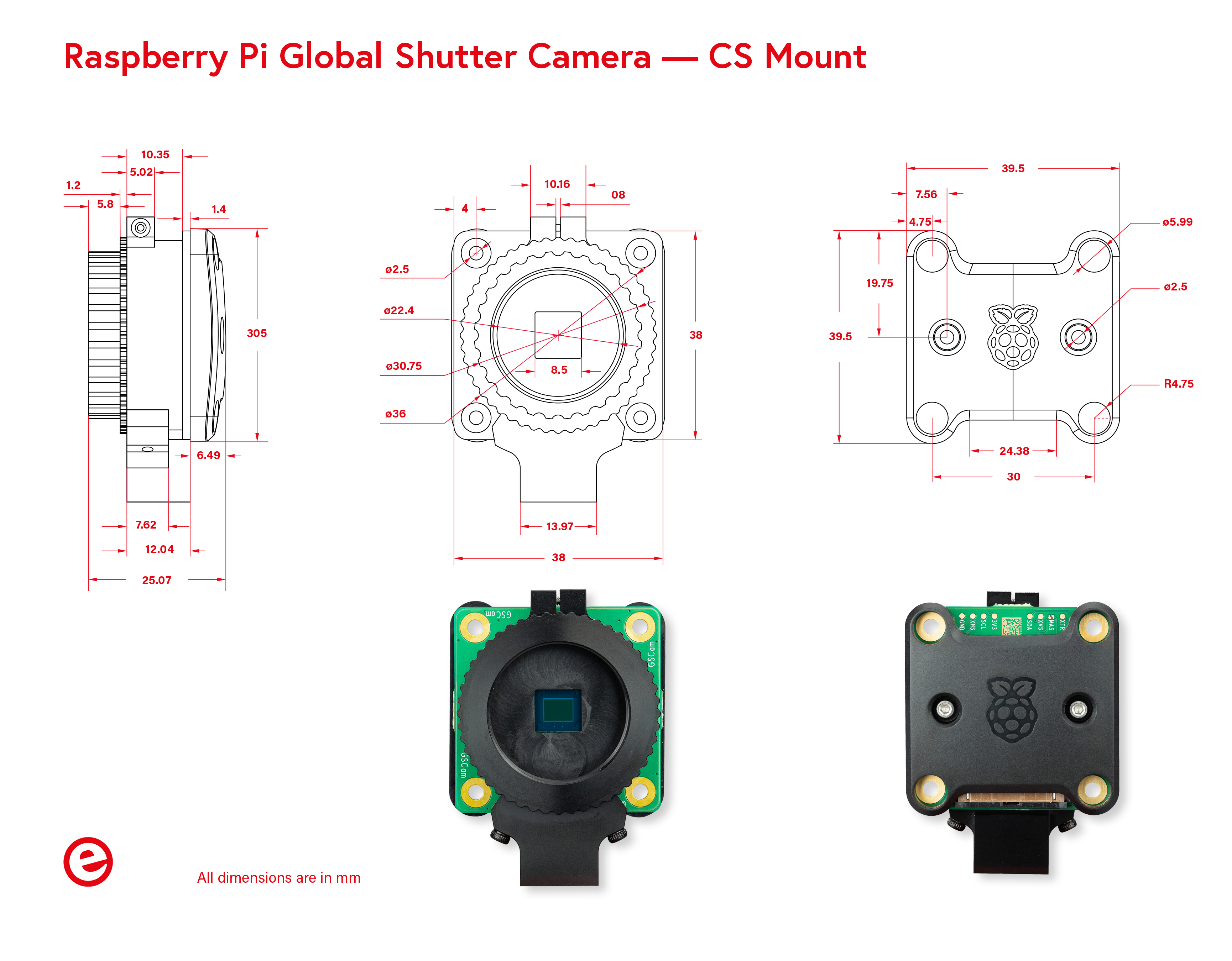
The back cover is in the curved matte Rasbperry Pi style, most recently seen on the Raspberry Pi Debug Probe. The dimensions are shown below (click here for the full-resolution image):
Raspberry Pi Global Shutter Camera, CS Mount, mechanical dimensions. (Full-resolution here)
Now, when you take a photo or video, all of the pixels will see the scene at the same time, so your entire image will be taken at the same instant, instead of exhibiting 2D time travel. For machine vision applications, you now have the ability to let things move faster without confusing the machine with the vision.
With no more “jello effect” or other obnoxious artifacts, industrial applications will certainly benefit, and the great thing is that there’s no need to retool — if you’re already using Raspberry Pi HQ Cameras, you can just swap them out for the global-shutter version for instant results.
One caveat, however, is that the Global Shutter Camera’s resolution is only 1.58 megapixels. That won’t be ideal for family rafting adventures, but for applications where you really need it, such as on the finish line at a running track, or in machine vision applications, you need the result, not the resolution. In fact, it takes more processing power to process a high-resolution image for your machine vision application, and again, more storage space and bandwidth to save it and move it around.
The larger pixel size actually has a benefit, namely in the form of higher light-sensitivity. That means you can take shorter exposures for things that are moving fast — in fact, Raspberry Pi touts exposure times as low as 30 µs, which is how long it would take to shoot a frame if you were running at over 33,000 frames per second!
If you get one or some of these, please let us know in the comments below how it goes. Send us some sample snaps or videos! If you come up with a more ambitious project that you’d like to share with us and the community, remember that you can post your projects and ideas to Elektor Labs!
Subscribe
Tag alert: Subscribe to the tag Raspberry Pi Camera Module and you will receive an e-mail as soon as a new item about it is published on our website!





Discussion (1 comment)