Fill any room with high-quality sound using the compact, energy-efficient Card Sound audio player. With micro SD storage and I²C/RS-485 control, great music has never been this versatile.
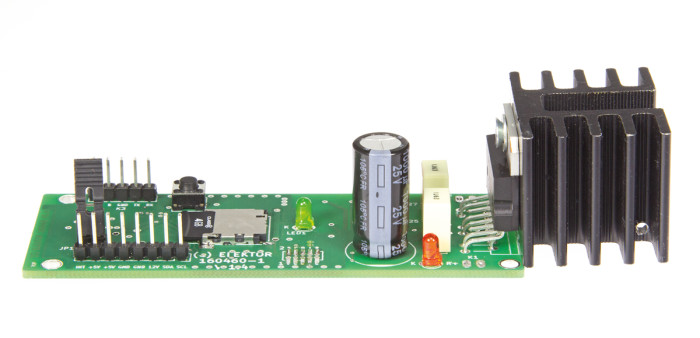
Looking for a compact yet powerful DIY audio player project with endless possibilities? Take a look at the Card Sound audio player, first introduced by Falko Bilzin Elektor January/February 2018. It relies on a microSD card for audio storage, providing ample capacity at a low cost. You can easily load new audio files onto the card from any laptop!
But this audio player project goes far beyond being just a simple audio player. It can just as easily serve as the foundation for a high-quality front doorbell, a musical alarm clock, or even a versatile sound module for scale models, complete with two independent loudspeaker outputs.
The Sound Card audio player delivers audio quality (Class AB output stage).
The Circuit
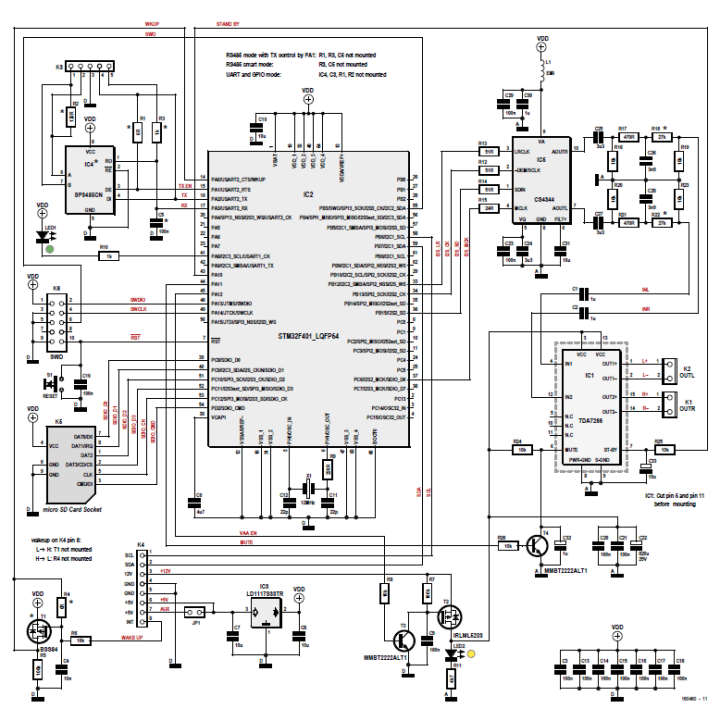
Refer to the schematic and follow the flow of audio data from the microSD card in its socket. The card communicates with the microcontroller over an SDIO interface, which allows fast bidirectional data transfer. Using multiple data lines in parallel, this interface achieves higher throughput than the simpler 1-bit mode. Pull-up resistors ensure reliable operation of the communication lines.
Schematic of the Card Sound audio player. (Click for PDF)
Bilz explained:
"The audio data on the SD card is converted into PCM (pulse code modulation) signals in the STM32F401 controller (with a Cortex M4 kernel by ST Microelectronics) according to user-defined instructions and is output to the I2S bus, a special interface for serial digital signals designed by Phillips. This data bus contains a bit clock (CK) line, a data (SD) line and a changeover line between the left-hand and right-hand channels (LRCK). Additionally we have a Master Clock line (MCK) that does not conform to the I2S specification. The fixed relationship of MCK = 256 × LRCK is defined by IC2.”
Subscribe
Tag alert: Subscribe to the tag Audio and you will receive an e-mail as soon as a new item about it is published on our website!
Audio Player Software
The software was written in C, using the so-called CMSIS and FatFS libraries. Visit the project page for more information. Most of the files were generated with the configuration program STM32CubeF4, which largely eliminates the need to study the reference manual for the STM32F401.
“In this project the application itself has the file main.c as its entry point,” the designer explained. “The audio output is implemented in the file waveplayer.c: a data buffer is transferred by DMA across the I²S bus to the D-to-A converter IC5. When half of the buffer has been transferred, the PCM data for the next WAV file is written into the other half. In the process we interpose dynamic volume-matching by simple multiplication, using the so-called floating point unit (FPU). The ‘fade out’ function for sounds also makes use of this. The end result is a seamless I²S data flow, leaving additional computation resources available for your own needs or future program expansion (perhaps for a loudness function). The remainder of the files are largely additional ones with special subfunctions.”
Of course, the original Elektor article includes many more details.
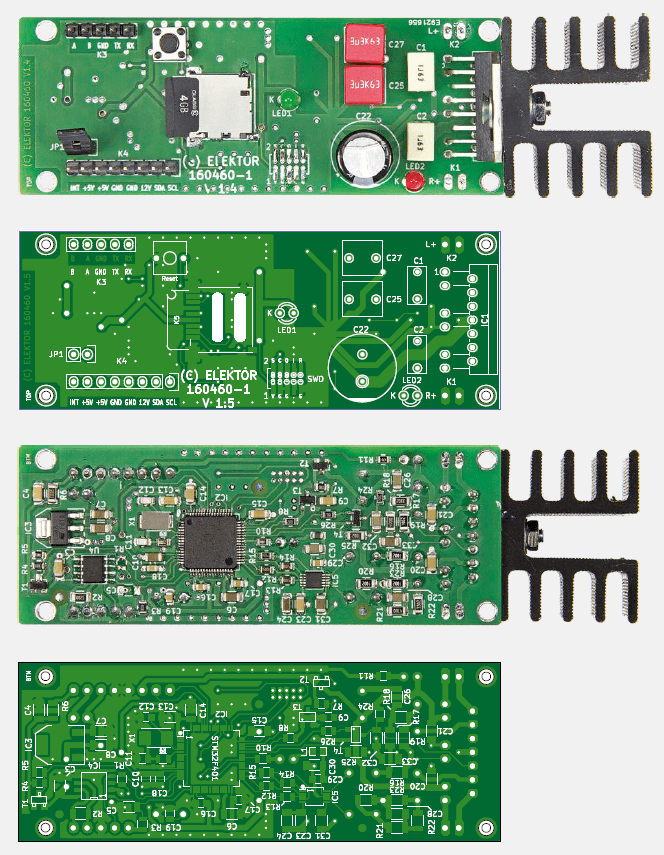
The double-sided PCB for the sound module, with components mounted on both sides.
More on the Card Sound Audio Player
The original article, “Card Sound,’” appeared in Elektor January/February 2018. You can read the article for free during the two-week period following the publication of this news item. If you create a circuit, consider sharing your progress on the Elektor Labs platform!
Editor's Note: This article first appeared in 2018. Given the project’s age, some components or products might not be available, and the key design techniques might seem antiquated. However, we believe the project will inspire you to start new designs in the future.
Subscribe
Tag alert: Subscribe to the tag Circuits & Circuit Design and you will receive an e-mail as soon as a new item about it is published on our website!





Discussion (0 comments)